

• Contact
  • Home
  • App
  • Business
    • Finance
  • News
    • Entertainment
      • Games
      • Social Media
    • Hindi News
    • Misc
    • Trending
  • Tech
    • Gadgets Update
    • How To
    • iPhone
  • Hindi

Subscribe to Updates

Get the latest creative news from FooBar about art, design and business.

What's Hot

Beyond HPHT: Practical Thread Swaps to Meet the 2026 Preferred-Materials Target

August 27, 2025

Built-In Hygiene: Gral™ Protect Antimicrobial Threads for Wellness Wear & Uniforms

August 27, 2025

What Does the US-Issued Ban on State AI Rules Mean for Tech Innovation?

June 20, 2025
Facebook Twitter Instagram
SUBSCRIBE
  • Contact
  • Home
  • App
  • Business
    • Finance
  • News
    • Entertainment
      • Games
      • Social Media
    • Hindi News
    • Misc
    • Trending
  • Tech
    • Gadgets Update
    • How To
    • iPhone
  • Hindi
Home»Tech»How To»Find out if your Facebook, Twitter, Instagram, etc. passwords have been hacked easily! Google Chrome launches new Password Checker
How To

Find out if your Facebook, Twitter, Instagram, etc. passwords have been hacked easily! Google Chrome launches new Password Checker

setnewsboxBy setnewsboxNovember 23, 2021No Comments3 Mins Read
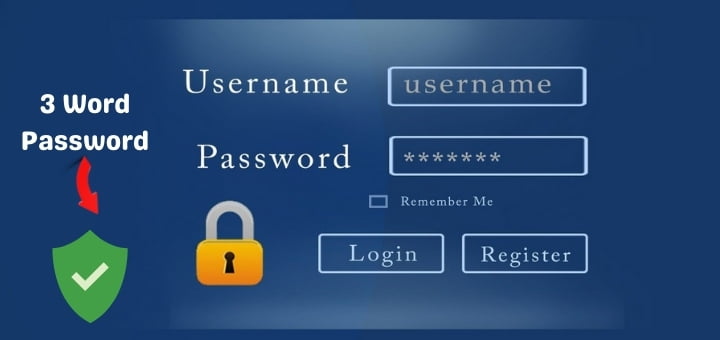
Three word Password is more Secure
Share
Facebook Twitter Reddit Telegram Pinterest Email
Contents hide
Find out if your Facebook, Twitter, Instagram, etc. passwords have been hacked easily! Google Chrome launches new Password Checker
Google Chrome launches new Password Checker
How to select a strong password?


Three word Password is more Secure

Find out if your Facebook, Twitter, Instagram, etc. passwords have been hacked easily! Google Chrome launches new Password Checker

At present, almost all of us use social media platforms like Facebook, Twitter, Instagram. And to avoid any danger there, we have to select a very strong password (Strong Password). But even with the slightest carelessness, the dangers that come with it happen. Many times our account is hacked.

Google Chrome has recently introduced its Password Checker. This allows us to easily determine if the passwords for Google, Facebook, Twitter or any of our other accounts have been compromised. These can be checked in a very simple and very beautiful way. In today’s article, you must know that method.

See also  The Clone highlight of Instagram Story will presently don't be accessible

Google Chrome launches new Password Checker

Google recently added an extra layer of security to their Chrome browser. With the help of which it is very easy to check whether the password of Facebook, Twitter, or other account has been hacked. Let’s find out now.

To find out, first update your Google Chrome browser. Your Google Chrome browser needs to be updated to Chrome 96 or later. Only then can you do this work. Then open the Google Chrome browser. From there, go to Settings by clicking on the Three Dots Menu at the top right.

See also  Instagram launches Diwali special stickers | Learn More About It!!

Then select Autofill and then select Passwords. In the next option, you have to select Check Password. Diameter. Only then will automatic checking begin. And Chrome will show you which of your passwords have been compromised or which are weak or which need to be updated by dividing you into different groups.

If it appears that your password has been compromised, change the password immediately. However, changing the password is not necessary. Wants to know some rules of password change. Select a very strong password which will reduce the chances of the password being hacked. Let’s find out how you can select a relatively strong password.

How to select a strong password?

It is good to note that a survey found that a large number of people set passwords using words or numbers like ‘12345’ or password or your own name or your date of birth or living place below. But sadly, such passwords can be easily guessed. As a result, it doesn’t take long for your account to be hacked.

See also  Facebook launches video speed-dating app Sparked, See full Feature

So use passwords that are not easy for anyone to guess. Especially for someone, you know. When using a password, use the numbers in it, use letters with it, use capital letters and small letters. Put some special marks on it. Use such as hashtags, percentages, full stops, exclamation signs, etc.

Combining all of these with creating a password reduces the chances of that password being hacked. So become aware of this right now. And avoid any password problems.

Facebook Find out if your Facebook Google Chrome launches new Password Checker How to select a strong password? Instagram twitter
Share. Facebook Twitter Pinterest LinkedIn Telegram Reddit Email
Previous ArticleMessenger and Instagram chat not safe till 2023? The company said this big thing
Next Article Good news for WhatsApp users, you will get 7 days to delete message
setnewsbox
  • Website

I love writing on webpages because I can help people across the world through my articles, pictures, and videos I create to answer their automotive questions they can't find answers to anywhere else

Related Posts

Dealing with Competitors Posting Negative Reviews

December 12, 2024

Unleashing the Thrill: A Deep Dive into RAJAGACOR – Your Ultimate Online Gaming Destination

January 2, 2024

How Architectural Tinting Can Enhance Your Building’s Energy Efficiency

October 17, 2023

Empowering Your Business with Jira Templates and Bug Ticket Templates

October 11, 2023

Exploring Font Styles: Unveiling the Power of Serif and Sans Serif Fonts

June 19, 2023

Testing Angular Web Applications: Strategies and Tools

June 17, 2023
Demo
Stay In Touch
  • Facebook
  • Twitter
  • Pinterest
  • Instagram
  • YouTube
  • Vimeo
Don't Miss

Beyond HPHT: Practical Thread Swaps to Meet the 2026 Preferred-Materials Target

By varshaAugust 27, 2025

HPHT lists help us say “no” to bad stuff. But stopping harm is only half…

Built-In Hygiene: Gral™ Protect Antimicrobial Threads for Wellness Wear & Uniforms

August 27, 2025

What Does the US-Issued Ban on State AI Rules Mean for Tech Innovation?

June 20, 2025

Dealing with Competitors Posting Negative Reviews

December 12, 2024

Subscribe to Updates

Get the latest creative news from SmartMag about art & design.

About Us
About Us
Our Picks

Dealing with Competitors Posting Negative Reviews

December 12, 2024

Exploring the Evolution of Auto Tint Technology: A Glimpse into the Future of Vehicle Enhancement

June 10, 2024

Top 25 Flowers to Send to Your Girlfriend and Celebrate Her Birthday in India

June 7, 2024
Facebook Twitter
  • Home
  • TERMS AND CONDITIONS
  • Submit Guest Post | Write For Us
  • Cookie Policy
  • DISCLAIMER
  • Contact Us
© 2026 SET NEWS BOX. All Rights Reserved. | scoopifyowl@gmail.com

Type above and press Enter to search. Press Esc to cancel.